octokeyz
Hardware Variant: octokeyz-mega
The advanced variant of the octokeyz macropad, featuring eight Cherry MX-compatible mechanical keyboard switches and an SSD1306 OLED display for host-driven text output. It shares a single firmware binary with the octokeyz variant.
Overview

octokeyz-mega, assembled
| Field | Value |
|---|---|
| MCU | STM32F042K6 / STM32F042K4 (ARM Cortex-M0, 48 MHz) |
| Buttons | 8x 5-pin Cherry MX-compatible mechanical switches |
| LED | PWM-driven, 5 states (on, flash, slow blink, fast blink, off) |
| Display | SSD1306 OLED, 128x64 px, I2C (8 lines x 21 characters) |
| USB | Mini-B, Full-speed, HID class, up to 100 mA |
| USB VID:PID | 1d50:6184 |
| PCB revision | 20240530 |
| License | CERN-OHL-S-2.0 (hardware) / BSD-3-Clause (firmware) |
PCB
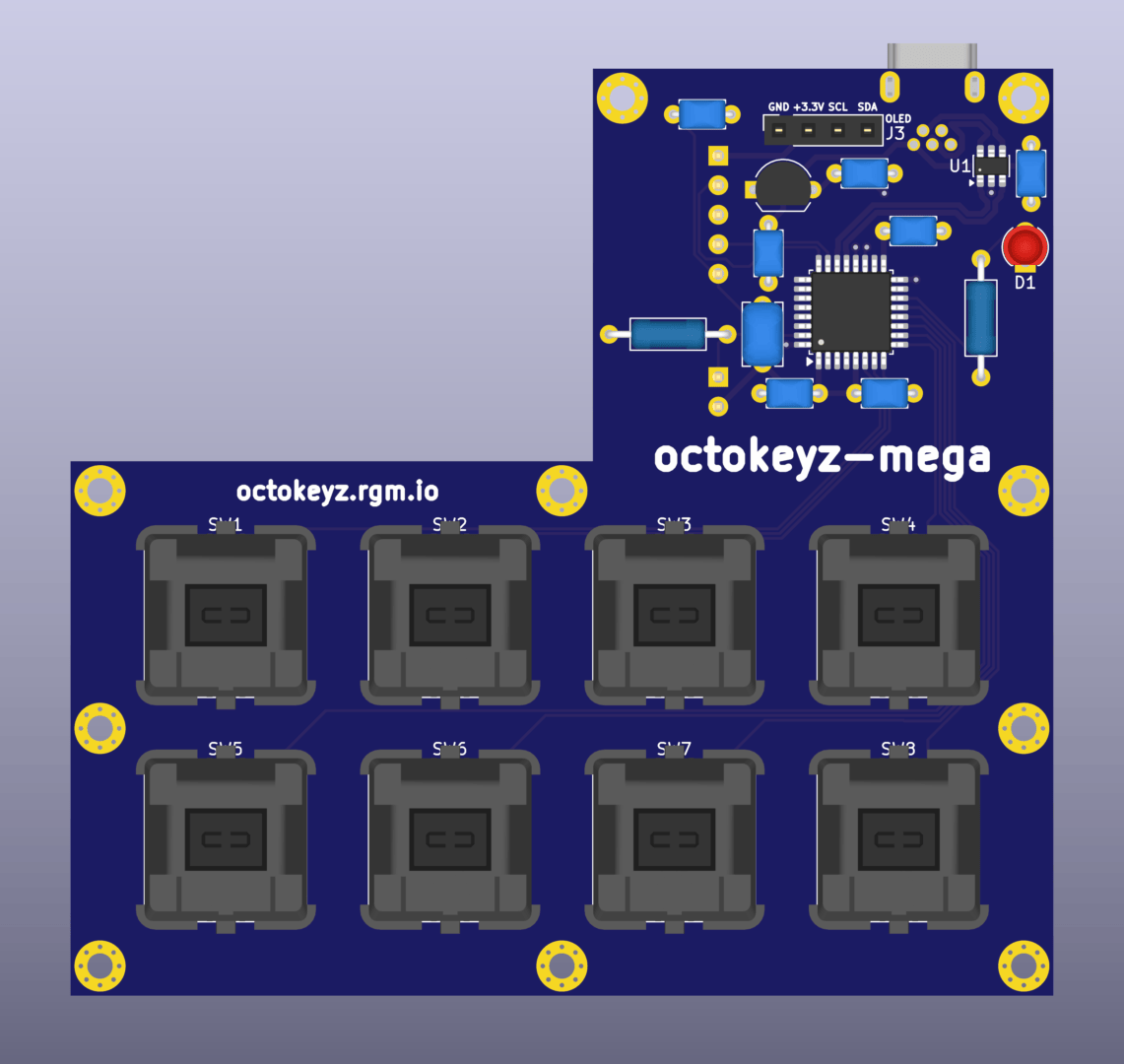
octokeyz-mega PCB, top side
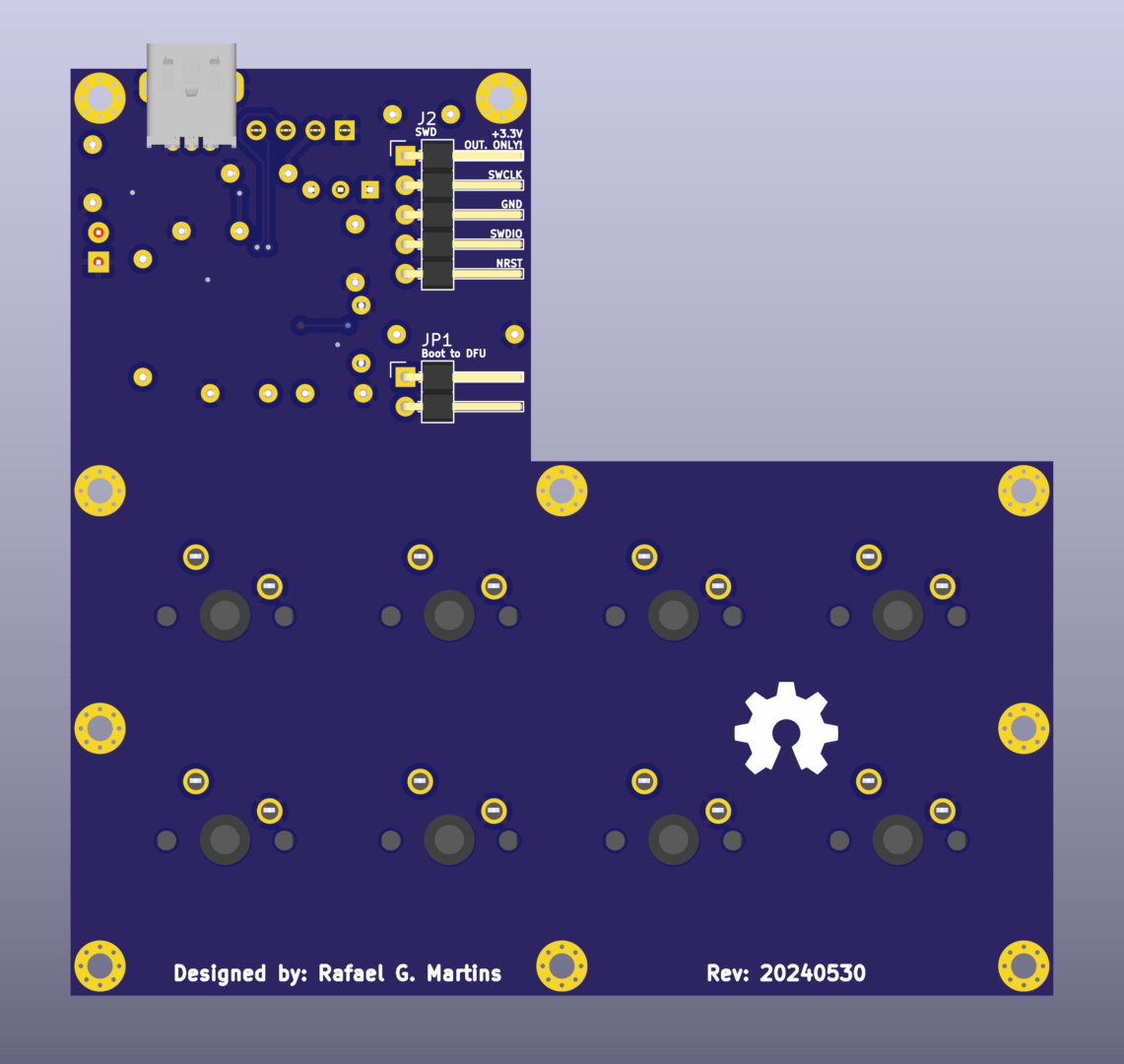
octokeyz-mega PCB, bottom side
Resources:
KiCad 9.0+ source files are available in the repository under pcb/octokeyz-mega/.
Enclosure
3D-printable enclosure designed in OpenSCAD. The enclosure has an L-shaped design with separate front pieces for the switch area and the display area, plus an angled base/stand.
| Part | File |
|---|---|
| Front shell (switches) | enclosure-front-switches.stl |
| Front shell (display) | enclosure-front-display.stl |
| Back cover | enclosure-back.stl |
| Base/stand | base.stl |
| LED holder | led-holder.stl |
OpenSCAD source files are in the repository under 3d-models/octokeyz-mega/, with shared modules in 3d-models/lib/.
Display
SSD1306 OLED module, 128x64 pixels, connected via I2C at address 0x3c on pins PA9 (SCL) and PA10 (SDA). The display provides 8 lines of 21 characters each, rendered with a 5x7 pixel font (6px cell width including spacing). Three text alignment modes are supported: left, right, and center.
Display rendering is double-buffered at the line level -- each of the 8 lines has two buffers, so new content can be prepared in one buffer while the other is being transmitted to the display via DMA (DMA1 Channel 2). This avoids blocking the main loop during I2C transfers.
The firmware probes the I2C bus for the display at startup, retrying up to 10 times with 50ms waits between attempts. If the display is not detected, all display features are silently disabled. This is how the same firmware binary runs on both variants: the basic octokeyz simply has no display connected.
On USB reset, the display shows a splash screen with "octokeyz" and the firmware version. Once USB enumeration completes, it briefly shows "Connected!" then clears after 1.5 seconds, leaving the display ready for host-driven content.
Host software controls display content via USB HID output reports -- see Firmware for protocol details. The display is driven from userspace through the Go client library -- see Client Libraries.
Build Manual
The board has SMD components (microcontroller and USB ESD protector) that should be soldered first. The OLED display module connects via a pin header -- solder the header to the PCB, then seat the display module. Mechanical switches are soldered directly to the PCB from the top side.
The enclosure base/stand should be printed upside down for best surface finish on the visible face. The LED holder is a 3D-printed part that clips into the front enclosure piece.
For the full assembly procedure, see my generic Hardware Build Manual.
- For firmware flashing instructions, see Firmware.
- For writing programs to interact with the device, see Client Libraries.